 EU
EU
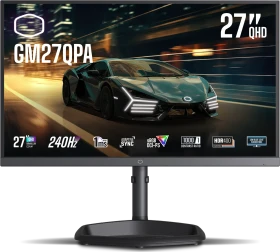
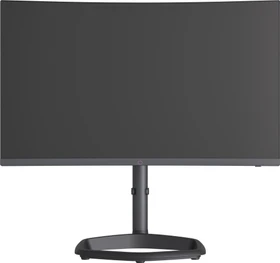
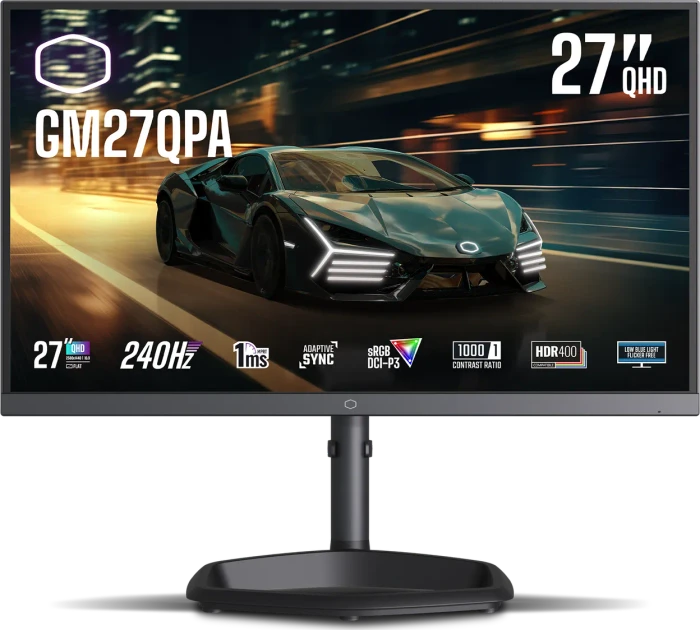
Cooler Master GM27QPA, 27"
CMI-GM27QPA
ab
€ 204,90
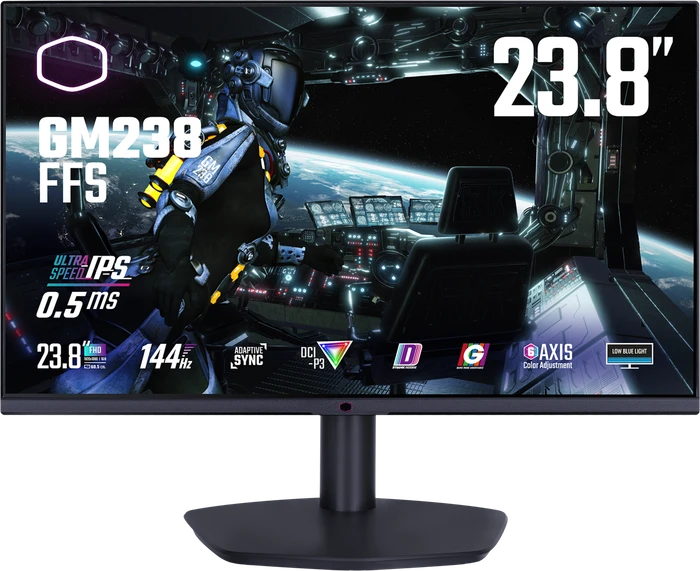



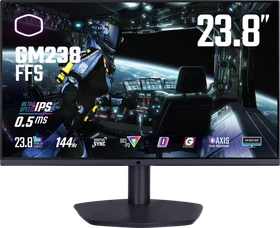
Der Cooler Master GM238-FFS ist ein kleinformatiges Gaming-Display, dessen IPS-Display mit kurzen Reaktionszeiten und einer maximalen Wiederholfrequenz von 144 Hz Fans von schnellen Games ansprechen soll, ohne deren Geldbeutel übermäßig zu belasten. Wie sich des 24-Zoll-Display in unserem Testparcours behaupten kann, klären wir in unserem Test.

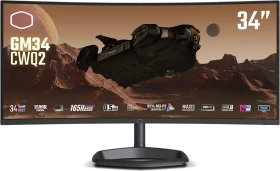
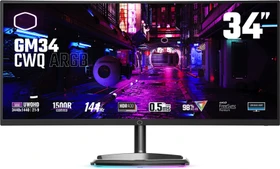
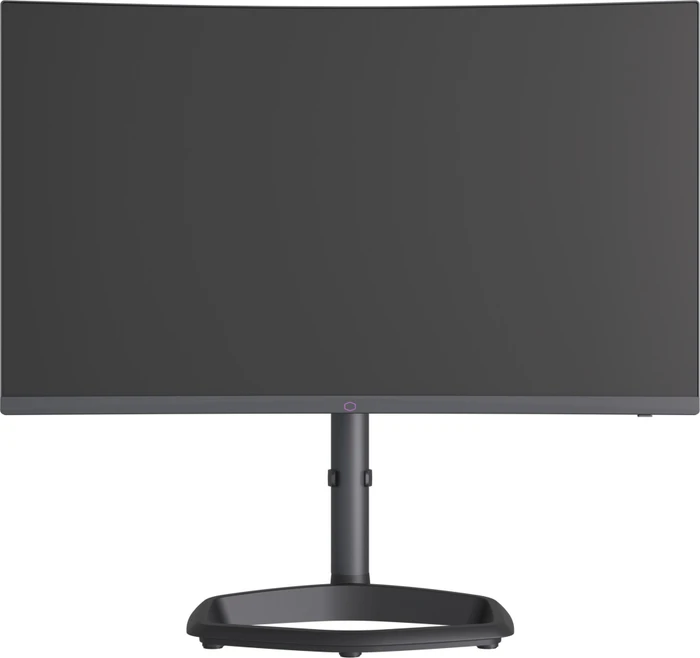
Im Gaming-Alltag weiß der Cooler Master GM34 -CWQ2 Curved Gaming Monitor durchaus zu überzeugen. Mit einer sehr genauen Farbwiedergabe, einer zuverlässigen Bildwiederholungsrate von 180 Hz und einer Bildverzögerungszeit von nur 0,5 ms, ist der Monitor wie gemacht für anspruchsvolle Gamer. Schwächen erlaubt sich der GM34 lediglich in Farbverläufen und in der nicht ganz akkuraten Ausleuchtung. Wer gerade einen QHD-Monitor im Ultra-Wide Format sucht könnte hier goldrichtig sein, denn mit ein wenig Glück kann der Curved Gaming Monitor für unter 400€ erworben werden.


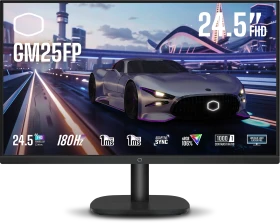
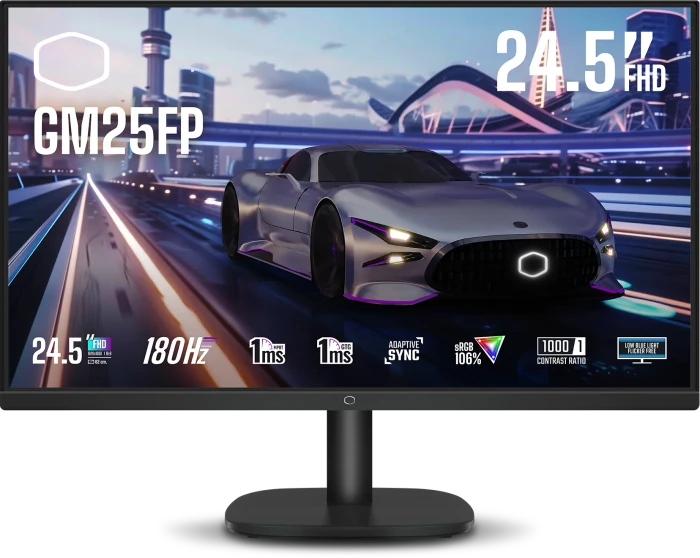
When it comes to gaming, the GM25FP delivers a smooth and responsive experience. Naturally, the 180Hz refresh rate is immediately noticeable, it’s a very smooth experience from moving the mouse around when you’re bored to playing fast-paced games like Doom Eternal. The image feels fluid and tear-free thanks to the Adaptive Sync, and I didn’t notice any significant motion blur, even during frantic action sequences with high contrast.
As a standalone product, the Cooler Master GM34-CWQ2 is a very good ultrawide gaming monitor. It has a 180 Hz refresh rate, very low input lag, good motion handling, a fully adjustable overdrive level, timers, virtual crosshairs, and everything else you might need to truly enjoy your gaming sessions, and even have a competitive edge over participants with lesser monitors. The curved 34-inch ultrawide panel offers excellent immersion in games but also does wonders for any kind of productivity work, as it lets you comfortably use two Windows side-by-side. You also get the luxury of fully utilizing the available screen real estate, as there's no need to use Windows scaling; the monitor is perfectly usable at 100% scale level. If we look at it as a successor to last year's GM34-CWQ ARGB, then things become more complicated. You're getting a higher refresh rate panel, reduced input lag, more overdrive options, improved OSD, and an integrated KVM switch. The latter is useful enough to make the decision easy for anyone who's looking to use the monitor with two separate systems connected simultaneously. However, you're also getting a lower quality VA panel, with worse color accuracy (at least before calibration) and halved static contrast ratio. In other words, the Cooler Master GM34-CWQ2 is even more responsive when gaming, and infinitely more practical to use in dual system setups, but its picture looks less punchy. With the MSRP pricing set to $470, the GM34-CWQ2 should in fact cost less than its predecessor, which currently goes for $500. This is a good call on Cooler Master's behalf, one that makes a slight reduction in uncalibrated color performance easier to tolerate. Also worth pointing out is the fact that competing 34-inch 180 Hz ultrawide monitors cost significantly more - the Asus ROG Strix XG349C goes for $770, and the ViewSonic Elite XG340C-2K will set you back $700. The Asus TUF Gaming VG34VQL3A is $70 less expensive, but doesn't use Quantum Dot technology. There's definitely room on the market for the Cooler Master GM34-CWQ2.

The GM34-CWQ2 provides an interesting new option in the mid-tier 34″ monitor market. It provides a nice range of features and extras for the price point, along with some generally solid all round performance. We liked the inclusion of things like USB type-C connection (with 65W power delivery), KVM function, PiP/PbP modes and even some modest 2x 5W integrated speakers. It helps make it a pretty versatile monitor for general uses, work and play.

When it comes to quality, Cooler Master has kept things realistic while focusing on all the important aspects as appropriate. The casing is relatively bland plastic with a printed logo on it. There’s no trick RGB thrills, there isn’t a super-fancy stand made from aluminium or anything like that, but honestly, having used this monitor daily for some time now, I’m happy to say that in a dim room, the monitor blends into the gloom and the only thing I ever see if the panel, and it’s a stunning panel at that. The brightness is excellent, and I never found the need to push it was 40/100 on the slider, and at 100% it’s dazzlingly bright at nearly 500 nits, making it a bit of a light cannon for counteracting bright rooms and sunny days. Like most VA edge-lit panels, the HDR performance is hit-and-miss, and the HDR400 rating tells you as much. The colours look amazing in games like Horizon, but it lacks detail in dark scenes and bright areas in night scenes can lead to a pretty grey image overall, so I suggest sticking with SDR for this monitor. That being said, with a striking contrast ratio over 4000:1, great black levels (in SDR), high peak brightness, and colours that are vibrant, accurate and colour a large section of the AdobeRGB and DCI-P3 colour scales, you will be very happy with what you get from it. Plus, VA panels respond really well, and it does not suffer from the ghosting or smudging from fast-moving objects either, which is great. At 165 Hz using the stock settings, it’s fast, but you can just as easily set it to 180Hz (OC) to push it a little harder, and since I’ve used it pretty much exclusively at 180 Hz, I can’t see that there’s any negative effects from doing this. The panel supports FreeSync Premium, and as I’ve been running it on an RTX 4090 with G-Sync, again, I’ve had no problems with screen tearing, flickering or dropped frames, it just works great right out of the box.
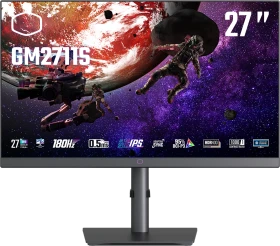
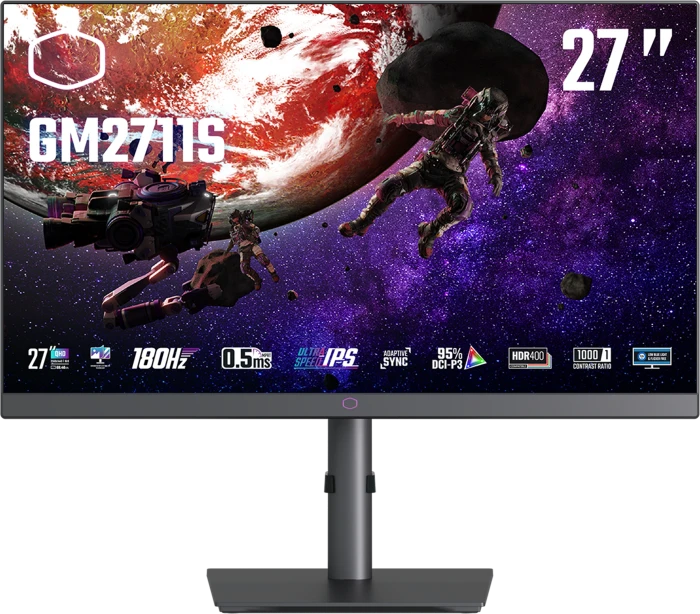
The Cooler Master GM2711S is a 27-inch 1440p gaming monitor that provides a rich visual experience in both productivity applications, and single-player games. However, the GM2711S falls short in competitive shooters due to its lackluster response time.
Cooler Master made its name with stylish chassis and potent cooling solutions (the clue is in the company name). But like many peripheral hardware and component manufacturers, the company has diversified, and even has a console in the works in partnership with KFC, of all brands. Cooler Master has also been making gaming monitors for a few years, and one of the latest is the GM2711S. With a 180Hz refresh and affordable price, it has clear potential.

While the Cooler Master GM2711S doesn’t have the broadest dynamic range, it does have premium video processing and saturated, accurate color. With a great gaming feel and response, it’s an excellent choice for the money.
Der Monitor-Markt ist umkämpft wie lange nicht. Dabei drängen zunehmend auch Anbieter in das Segment, die dort nicht zum Establishment gehören. So beispielsweise Cooler Master mit dem GM2711S, einem 27 Zoll großen Gaming-Monitor, der ein IPS-Panel mit der Wiederholfrequenz von 180 Hz kombiniert. Das A.R.T.-Coating soll gleichzeitig dafür sorgen, dass Reflexionen des Umgebungslichts auf ein absolutes Minimum reduziert werden. Wie gut das gelingt, klären wir in unserem Review.
Cooler Master is ticking all of the right boxes here, and this is easily one of the best mid-budget gaming monitors on the market right now. They’ve got more accurate and more colour reproduction than pretty much every gaming monitor in this price range, at least when it comes to the high refresh rate models, as you can get very colour-accurate panels with 60Hz refresh rates for the same money if that’s what you care for. At 180Hz, it’s also one of the fastest monitors in this price range, with many still coming in at 144 or 165, and while you won’t see much difference in gameplay, the higher refresh rate does shave down the response times a little, and that’s always good for fast-paced gaming. Plus with the Ultra-Fast IPS technology, you can get the response time down to 0.5ms using the MPST mode, which is awesome. The strongest competition is likely the AOC Gaming Q27G2S, it’s similarly equipped at 265Hz, and also has a similar peak brightness, but it has a stand that only allows for height adjustment, while Cooler Master offers a massive range of tilt, pivot, and a portrait mode on their stand, making this an ergonomic hero. The A.R.T. coating on the screen is in another league for anti-glare too, as it still allows colours to pop from the screen, but even in a fiendishly bright-lit room, it manages to avoid any issues with glare, and the peak brightness was impressive, so it’s possible to game with a great looking screen in a sunlit room, and on the lowest brightness, you can game in a dark room without blinding yourself, while still retaining good contrast. The only thing that lets it down is the HDR400 mode, but honestly, short of high-end HDR panels with multi-zone backlights, HDR is an overused marketing quirk that should be largely ignored. However, with good brightness, colour and contrast, the monitor looks more than good enough in SDR mode that you won’t care anyway.
Mit dem GM34-CWQ2 hat Cooler Master einen Curved-Gaming-Monitor in seinem Sortiment, welcher sich in unserem Test durch die gebotenen Features als wahres Multitalent herauskristallisierte, wodurch der Monitor nicht nur beim Gaming, sondern auch während Office-Tätigkeiten eine sehr gute Figur macht.

I think Cooler Master has struck gold with this monitor, and I can see it selling out very quickly indeed. It’s just striking right at the heart of what the majority of PC gamers are wanting right now. Firstly, it looks cool, it is a really nice-looking monitor that has the same design DNA we saw on their £1000 flagship model, so for a more affordable model to look pretty much just like it is really nice to see.
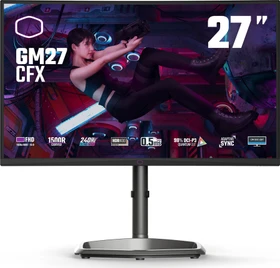
Cooler Master has been on a winning streak lately, releasing some of the best gaming monitors on the market, but also delivering them at prices that are borderline disruptive to the market. Take their new GM27-CFX, a 27″ Full HD gaming monitor with a staggering 240hz fresh rate, 0.5ms response time, and packed with other gaming-friendly features such as Adaptive Sync, a 1500R curvature, and good ergonomics. The features are clearly excellent, but what’s more impressive is that you can get this monitor for just £169.99. A quick glance on Amazon and I can see similarly fast monitors from unknown brands for the same money, and even then, they’re only 24″ not 27″ which is already a big win for Cooler Master.
The Cooler Master GM27-CFX Curved Gaming Monitor has you more than covered when it comes to what is offered. They have incorporated just about every high-quality specification you could want in a monitor. I highly recommend this monitor if you are looking for e-sports level of specifications.
When compared to other 34-inch ultrawide gaming monitors specification for specification, the Cooler Master GM34-CWQ ARGB might strike you as fairly expensive with its $650 price tag. After all, it's just another 3440x1440 ultrawide with a 144 Hz refresh rate and a VA panel, right? Well, not quite. What pushes this monitor into a higher class of gaming 34-inch ultrawides is the Quantum Dot technology, which gives it nearly 100% sRGB and DCI-P3 color space coverage, excellent overall color performance, and above-average static contrast ratio, as well as a wide usable brightness range. The brightness of its panel can be pushed above 500 cd/m², which is more than enough to please everyone. Such high brightness combined with a panel that successfully rejects reflections of its surroundings means the GM34-CWQ ARGB performs well even in very bright rooms.
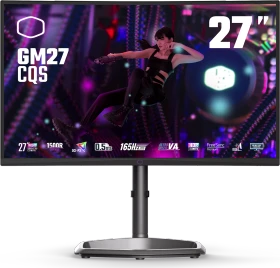
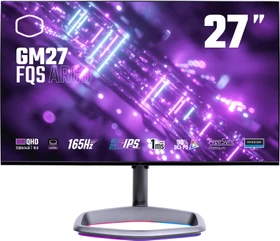
The Cooler Master GM27-FQS delivers excellent image quality and gaming performance at a reasonable price. It supports HDR though the picture doesn’t look much different than its SDR counterpart. With unique styling and a solid build, it’s a good match for mid-priced gaming systems.
The Cooler Master GM27-FQS ARGB is a solid 27″ gaming screen which includes a couple of additional features you may not find on competing models you may see value in. This includes the RGB lighting in the foot of the stand which looks pretty nice, and is something different to the RGB lighting you often find on the back of screens. There’s also a USB type-C connection which might be useful to some, although we would have liked that to include power delivery for single cable connectivity from laptops.
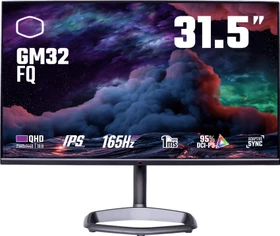
The Cooler Master GM32-FQ is one of the most color-accurate gaming monitors I’ve seen. It also has super-low input lag for quick and precise gaming. It doesn’t offer any extra contrast for HDR content, but it does deliver an excellent gaming experience for the money.
While Cooler Master’s first monitor, the GM34-CW, launched back in 2020, the company is still very much a newcomer to the display market. Today, we get hands-on with our first Cooler Master monitor in the form of the GM32-FQ, a 1440p IPS screen with a 165Hz refresh rate. Priced at £430 here in the UK, is Cooler Master onto a winner, or is there work still to be done?
The Cooler Master GM32-FQ provides what we would consider an acceptable, reasonable overall performance for both gaming and more general uses. The 32″ sized screen and 1440p resolution are a nice balance and provides a bit more size and immersion for gaming than common 27″ 1440p models, without the picture quality dropping too severely and without the system strain of going to 4K. For gaming it was a bit of a mixed bag in terms of screen performance. The fairly high refresh rate of 165Hz with VRR support is useful for motion clarity as always, but the main issue was that the response times were slow. We had some issues with pale smearing and blurring, and the panel was not fast enough to keep up with this high refresh rate properly either. There was at least no overshoot as long as you stick to the recommended response time mode, a single overdrive setting experience for VRR, and very low input lag too. It makes the screen suitable for some gaming, slower paced genres like RTS and strategy, but not well suited to anything faster paced unfortunately. The blur reduction mode adds a useful additional feature, although it’s not very flexible and is again constrained by the response times of the panel when it comes to motion clarity.
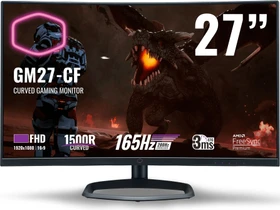
It's always nice to welcome a new manufacturer to the monitor segment, especially one who has been around the wider PC market for a long time and are well known. Cooler Master have done a nice job with their first venture and the 27" GM27-CF offered some solid performance for gaming. The high refresh rate was welcome as always and delivered significantly improved motion clarity compared with lower refresh rate screens. This high refresh rate was accommodated well by the panel and response times. We were pleasantly surprised to see variable overdrive being used, allowing solid response time performance and minimal noticeable overshoot all the way up to 165Hz. The overclocked 200Hz mode didn't really offer anything extra sadly, but 165Hz should still be attractive to many gamers. The availability of adaptive sync to support VRR from both NVIDIA and AMD systems was also very good, and input lag was very low too. The choice to use a VA panel might not be to everyone's liking, and this tech has it's issues with response times in some cases, with the common black smearing still being present. The rest of the response times were very good though for a panel of this type. You do of course also get very high contrast ratios and good all round performance with decent colours and viewing angles too.
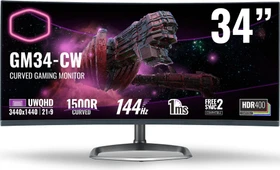
Cooler Master wagt den Sprung in den umkämpften Monitor-Markt. Dafür, dass dieser gelingt, soll mit dem CM34-CW ein 34 Zoll großer Gaming-Monitor mit VA-Panel, 21:9-Format und UWQHD-Auflösung sorgen. Das Panel des Gamers stammt von Samsung und ist mit der Quantum-Dot-Technologie des südkoreanischen Display-Experten ausgestattet. Eine Bildwiederholrate von 144 Hertz rundet das Gesamtpaket ab. Auf dem Papier macht der Monitor zweifellos eine gute Figur. Wie schlägt der Cooler Master im ausführlichen Test?

The Cooler Master GM34-CW delivers brilliantly vibrant colours, solid widescreen design and good mainstream gaming potential – but it misses out on key features and finesse when compared to rivals
At the end of the day you are getting a 34-inch display with a UWQHD 3440 x 1440 resolution, 144 Hz refresh rate, 1500R curve, thin bezels and much more. Being one of Cooler Master’s first displays I think it is a good entry into the segment and I am excited to see what the future of Cooler Master displays will bring. Right now you can pick up the GM34-CW at our favorite online retailer for $799.99. Overall ThinkComputers gives the Cooler Master GM34-CW 34-inch Curved Gaming Monitor an 8 out of 10 score.
Das Design kann sich sehen lassen und der Bildschirm schnitt im Test gut ab. Wer ein besseres HDR-Erlebnis sucht, sieht sich jedoch lieber nach Alternativen mit höherer Helligkeit um. Die Quantum Dots sind in dieser Preisklasse ein Alleinstellungsmerkmal, die aber auch mit einem Aufpreis von circa 100 Euro einhergehen.

As we said when we recently reviewed the smaller 27" GM27-CF model, it's always nice to welcome a new manufacturer to the monitor segment, especially one who has been around the wider PC market for a long time and are well known. Cooler Master had done a nice job with their first venture and the 27" GM27-CF offered some solid performance for gaming, and we felt that the 34" model performed very similarly overall. The main difference here of course is the larger screen size, curved ultrawide format and larger 3440 x 1440 resolution which is a pleasure to use day to day, and gives you an attractive format for many uses. The screen is aimed at gamers and the 144Hz native refresh rate was very welcome, offering good motion clarity and high frame rate support. Like the GM27-CF, this model supports adaptive-sync for VRR from both NVIDIA and AMD systems, but also even supports variable overdrive to help control the response times - a feature normally reserved for Native hardware G-sync screens. The response times were very good for a VA panel overall, keeping up well with the high frame rates. There was some common VA black smearing due to some slower black > dark grey transitions although the level of black smearing was a little lower than many VA panels. Input lag was very low as well. The 'MPRT' motion blur reduction mode was unfortunately not very good though, causing too much trailing and strobe cross-talk in practice.
Alle Angaben ohne Gewähr. Die gelisteten Angebote sind keine verbindlichen Werbeaussagen der Anbieter.
* Preise in Euro inkl. MwSt. zzgl. Versandkosten. Bei der Auswahl von "inkl. Versand" beinhaltet der dargestellte Preis die Kosten für den Versand. Die nicht angeführten Kosten in andere Länder entnimm bitte der Website des Händlers. Bei Sortierung nach einer anderen als der Landeswährung des Händlers basiert die Währungsumrechnung auf einem von uns ermittelten Tageskurs, der womöglich nicht mit dem im Shop angegebenen Preis exakt übereinstimmt. Bitte bedenke außerdem, dass die angeführten Preise periodisch erzeugte Momentaufnahmen darstellen und technisch bedingt teilweise veraltet sein können. Insbesondere sind Preiserhöhungen zwischen dem Zeitpunkt der Preisübernahme durch uns und dem späteren Besuch dieser Website möglich. Händler haben keine Möglichkeit die Darstellung der Preise direkt zu beeinflussen und sofortige Änderungen auf unserer Seite zu veranlassen. Der maßgebliche Preis für den Verkauf durch den Händler ist der tatsächliche Preis des Produkts, der zum Zeitpunkt des Kaufs auf der Website des Händlers steht.