 EU
EU
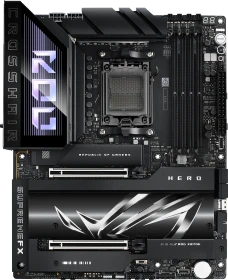
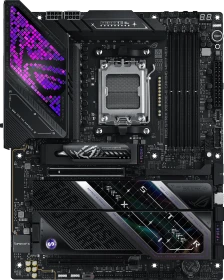
ASUS ROG Crosshair X870E Hero (AMD AM5)
90MB1IE0-M0EAY0
ab
€ 539,58





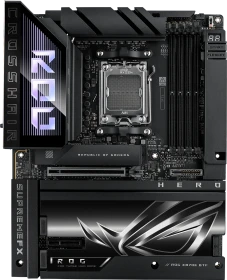
Das ASUS ROG Crosshair X870E Hero richtet sich eindeutig an Enthusiasten und nicht an durchschnittliche Nutzer. Für rund 590 € bietet es ein wirklich komplettes Paket mit umfangreichen Anschlussmöglichkeiten, darunter Dual-LAN, USB-C 40 Gbit, WiFi 7 und fünf NVMe-Steckplätze, drei davon PCIe 5.0. Alle Steckplätze werden mit Kühlkörpern und werkzeugloser Installation geliefert und das Board selbst verfügt über eine starke Kühlung und eine verstärkte Backplate. Es unterstützt High-Speed-DDR5 bis zu 8600 (OC) und bietet ein sehr flexibles BIOS mit allen Tuning-Optionen, die man in dieser Klasse erwartet.

Mit einem Straßenpreis von knapp 650 Euro ist das neue ASUS ROG Crosshair X870E Hero schon unverschämt teuer, doch dafür bekommt man auch extrem viel für sein Geld geboten.


Gamers know the best CPU for their new PC is an AMD Ryzen 7 9800X3D, so the question we currently face is to decide on a socket AM5 motherboard that will bring your PC together. Today we are reviewing the ASUS ROG Crosshair X870E Hero which is a solid and stylish piece of engineering. It also carries a substantial cost…

At $699 and with no comparables, the Hero stands alone. It’s one of the better-looking X870E boards and comes handsomely equipped with three PCIe 5.0 x4 M.2 sockets and plenty of AI/EZ DIY features to make building and upgrading easier. But you can buy similarly configured boards for less.
The ASUS ROG family of motherboards welcomes another high quality example to its ranks. It'll cost you, though.
ASUS schickt mit dem ROG CORSSHAIR X870E Hero ein absolutes Oberklasse Mainboard auf den Markt, das nicht nur in Sachen Optik und Verarbeitung überzeugt. Auch bei der Stromversorgung geht ASUS keine Kompromisse ein und spendiert dem X870E Board mit 18+2+2 Power Stages eine robuste und leistungsfähige Grundlage, um auch leistungshungrige Prozessoren mit ausreichend Strom zu versorgen.

Das Asus ROG Crosshair X870E Hero ist ein erstklassiges High-End-Mainboard für Ryzen-7000- und Ryzen-9000-Prozessoren, das für 649 Euro eine starke Stromversorgung und umfassende Ausstattung bietet. Interessenten sollten jedoch abwägen, ob der Aufpreis von rund 80 Euro gegenüber dem X670E Hero gerechtfertigt ist, da die Neuerungen hauptsächlich verbesserte SSD- und Netzwerkoptionen sowie schnellere USB-Ports umfassen.

AMDs Ryzen 5 9600X, Ryzen 7 9700X, Ryzen 9 9900X und der große Ryzen 9 9950X sind mit der Zen-5-Architektur bereits auf dem Markt, bislang fehlten aber noch die X870(E)-Mainboards. Nun ist es so weit und das NDA für die X870(E)-Mainboards ist gefallen, sodass wir nun mit einem ersten Test auftrumpfen können. Unser erstes Modell der neuen Mainboards wird das ROG Crosshair X870E Hero von ASUS sein, das das X670E-Modell in der Oberklasse ablösen soll. Ob dies gelingt? Das klären wir nun in diesem Test.

This is a flagship motherboard from ASUS, so it’s no surprise that we saw competitive performance from it. However, the real reason this motherboard costs more is simply because it has a lot more features than most. I doubt everyone would need this much connectivity, but if you need it, the Crosshair has all the answers you could need. There is a massively upgraded VRM configuration, so for heavy workloads and gaming sessions, it’s going to maintain its performance without thermal throttling issues. 18+2+2 VRM with 100A Power Stages is certainly on the extreme side but does increase the price. Of course, there’s a plethora of massive heatsinks on the VRM, and on every M.2 mount too, ensuring you always get the best performance. Its storage is really extreme too, with three PCIe 5.0 x4 and two at PCIe 4.0 x4, and plenty of support for RAID configurations, ensuring you have extreme read/write speeds should you need them. Plus, it’s one of the few motherboards with two full-length PCIe 5.0 x16 slots, making it ideal for those running dual GPUs for things like CAD, rendering, and AI tasks. You’re also paying a premium for expanded connectivity, so if you need multiple expansion cards, a heavily overclocked processor, overclocked memory, RAID M.2 drives, and then a lot of super-fast USB ports on the back, as well as flagship WiFi7 and LAN networking, then the Crosshair has it all!

The ASUS ROG CROSSHAIR X870E HERO is the latest iteration of the popular X670E HERO series, renowned for its enthusiast-grade features. As expected, it boasts a powerful VRM design, numerous quality-of-life improvements, solid overclocking potential, ample high-speed I/O, and more, making it a top contender for demanding PC builders.
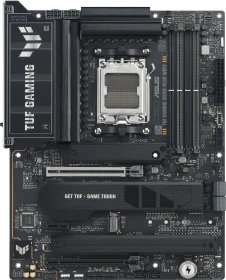
AMD's flagship desktop chipset comes to the TUF series with a sub $400 price tag and cutting-edge tech. There's some very stiff competition though, both in terms of price and features, so ASUS can't soley rely on its usual trump cards this time.
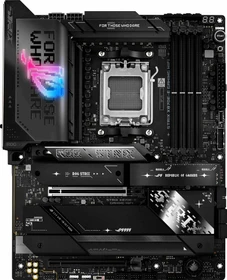
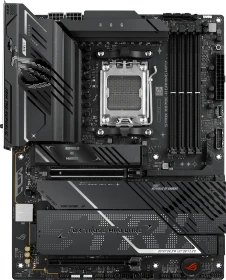
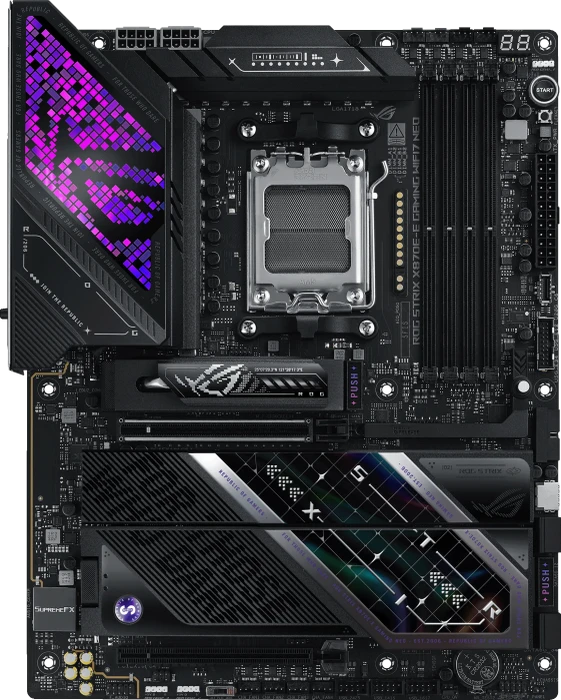
With the holiday season upon us a lot of people have been saving up money to take advantage of Black Friday and Cyber Monday deals. When it comes to building a new PC I feel that maybe people, at least currently, are going to Ryzen route. Of course at the top of the current AMD Ryzen chipsets we have X870E, which is going to be your most feature-packed chipset. Today we are taking a look at the ASUS ROG STRIX X870E-E Gaming WIFI which makes use of a 18+2+2 power phase design, five total M.2 slots (3 of which are Gen5), USB4 connectivity, 13 rear USB ports, WiFi 7 and so much more! Is this the motherboard you need for your next Ryzen build? Read on as we find out!
The ROG Strix X870E-E Gaming Wifi is a well-rounded solution packed with AI and DIY features, robust, plentiful, and fast hardware, in a sub-$500 package.

AMDs Sockel AM5 ist gerade aufgrund des Ryzen 7 9800X3D (Hardwareluxx-Test), in aller Munde. Somit wollen wir für unsere Leser auch weiterhin einige AM5-Mainboards unter die Lupe nehmen. Unterhalb des ROG Crosshair X870E Hero (Hardwareluxx-Test) ist das ROG Strix X870E-E Gaming WiFi in der oberen Mittelklasse angesiedelt und kann in vielen Punkten mit dem Crosshair-Modell mithalten. Wir halten die Details fest und vergleichen die Performance-Werte mit den restlichen AM5-Mainboards.
While the TUF Gaming X870-Plus Wifi had a unique styling, the Strix X870E-E Gaming Wifi is a lot more up my alley with its styling. The combination of everything being blacked out and simple along with that stamped and cutout cover on the top M.2 heatsink that almost looks like it is made of titanium it’s a good look. The Strix X870E-E Gaming Wifi also stands out with the sheer number of connection options you get, both on the rear I/O and inside. For the rear I/O, I was blown away at the number of fast USB ports available. It isn’t crazy to see a lot of USB ports on a board, but often a chunk of those are older USB 2.0 speeds and sometimes base USB 3.2 Gen 1 speeds but with the Strix X870E-E Gaming Wifi you get 10 USB 3.2 Gen 2 speed ports, one USB 3.2 Gen 2x2, and two of the new USB 4.0 ports and that doesn’t count the number of USB connections you can add in with the internal headers. You won’t want for fan headers and you also get three addressable RGB headers. The only thing missing for me was at least one of the older 4-pin RGB headers, I still run into a lot of devices that use those and it would be nice to be able to control those without having to run another controller. You get a lot of M.2 slots but what impressed me the most was the M.2 cooling. All five M.2 slots had solid cooling which is important with PCIe 4 and 5 M.2 drives. Asus has also gotten creative with their M.2 mounting including the flexible slot toolless mounting and the push button release on one of the heatsinks and the snap in match for the M.2 drive inside under that heatsink. The only other things I would change about the Strix X870E-E Gaming Wifi is that like with the other X870 boards I’ve tested so far, the RGB lighting is all clumped in one area. I would also love to see the possibility of a 10 GbE NIC on these higher-end gaming boards. I understand why Asus focuses that on their ProArt line and frankly, I am in the minority to have a 10GbE network at all. But if you are going to have support for 5GbE you will most likely also be able to run 10GbE on your network. The 5GbE connection seems like a half-step to me. I’m hoping however it is more reliable than what we have seen with the 10GbE onboard NICs so far. The Strix X870E-E Gaming Wifi has an MSRP of $499.99 which firmly puts it up into the higher-end range and isn’t going to be for everyone. That said, Asus is justifying the pricing by loading the Strix X870E-E Gaming Wifi with features. For comparison this is in line with the X870E Aorus Master from Gigabyte and Asus is a step above on things like the VRMs and connectivity. But if you are looking for a higher-end X870E board but aren’t willing to throw down for the Crosshair Hero then this is the board for you.
The ROG STRIX X870E-E Gaming WIFI is obviously very well equipped, it’s one of the very high-end gaming motherboards in the ASUS range, so it has a lot of upgraded hardware. While you can get similar day to day performance with a cheaper X870 motherboard, the much bigger VRM configuration, 18+2+2 with 110A Power Stages, as well as significantly enlarged VRM heatsinks, will ensure you can game, render, and do anything else for extended periods of time without compromising on performance. Of course, this hardware also ensures you can push your CPU much harder in general, as well as overclock it for more extreme performance. ASUS has put a lot of effort into their BIOS and controllers too, ensuring you can push everythign to the extreme, with PCIe, M.2 and DDR5 overclocking support and AI training features to ensure you get the best performance with just a few clicks. There’s also a lot of upgraded connectivity, with three Gen5 M.2 and two Gen4 M.2 ensuring you can get incredible read and write speeds from the latest M.2 SSDs, as well as various RAID configurations. There’s also massive heatsinks on all the storage mount too, ensuring your drives are always running at their optimal performance. All of the X870 boards come with some form of fast networking and storage, but there’s just a lot more of it on the STRIX X870-E Gaming. You get both 2.5 GbE LAN and the incredibly fast WiFi 7, there’s a huge number of USB ports on the rear I/O making it very gamer friendly if you have a lot of peripherals, and also the latest SupremeFX audio processing too, making it a well rounded option for enthusiast gamers and content creators.
The feature-packed ASUS ROG Strix X870E-E NEO loses hardly anything compared to more expensive Crosshair boards.
Mit dem ROG Strix X870E-E Gaming WiFi7 Neo werden wir uns in diesem Test-Artikel das dritte AM5-Refresh-Mainboard von ASUS zu Gemüte führen. Zuvor hatten wir bereits ROG Crosshair X870E Dark Hero (Test) und auch das ROG Crosshair X870E Glacial (Test) in unserer Redaktion untersucht. Auch das ROG Strix X870E-E Gaming WiFi7 Neo bringt sowohl die Pogo-Kontaktflächen für kompatible AiO-Wasserkühlungen von ASUS als auch die neue UEFI-Oberfläche mit. Kann sich die sonst noch von der ersten Version absetzen? Finden wir es in diesem Test heraus.
The STRIX X870E-E GAMING WIFI7 NEO is one more well-designed motherboard from the ASUS ROG series. It performs great, overclocks well, is stable, and is compatible with most available devices. It’s also well equipped, featuring high-speed controllers, plenty of fast USB ports, and five M.2 sockets. We also get a 5 Gbps LAN and a high-end ALC4080 audio codec. It’s just the perfect set for demanding gamers and computer enthusiasts.
There’s a lot to love about this motherboard, and for me, first and foremost it has to be the overall aesthetics. It’s a gorgeous-looking piece of hardware and a refreshing change from the gamer-focused designs that dominate the market. They’re appealing to a more professional market, but honestly, even for a gaming PC, I’d be happy with this design. Of course, I am a gamer, but I am also a content creator, and this board has a lot to offer to people like myself. The VRM configuration is robust, ensuring that I can get the maximum performance from my CPU when rendering videos, gaming, and anything else. Plus, there are massive heatsinks all over the motherboard, so the ultra-fast M.2 storage options will all be kept running at their optimal speeds with no throttling, which is obviously going to have advantages for content creators, and just about any other type of PC use really. But what is an advantage here, is the overall connectivity. There’s a lot of fast USB ports on the back, including a pair of USB4 ports (Type-C) which offer up DisplayPort 1.4 8K @ 60Hz, PowerDelivery, and 40Gbps speeds. There’s also 20Gbps and 10Gbps, so hooking up all your external drives, USBs, etc, should be a breeze. It’s one of the few new X870s with WiFi7, 2.5GbE LAN, and 10GbE LAN!
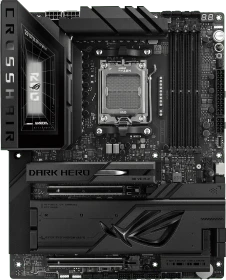
Mit dem ROG Crosshair X870E Dark Hero liefert ASUS ein ausgesprochen hochwertiges High-End-Mainboard für die AM5-Plattform ab, das sich klar an Enthusiasten, Overclocker und anspruchsvolle Gamer richtet.
The Asus ROG Crosshair X870E Dark Hero pairs a striking all-black design with strong performance and features. Its pricey, but a compelling premium choice for high-end builds.
Mit dem ROG Crosshair X870E Dark Hero hat ASUS ein Mainboard geschaffen, das seine Qualitäten nicht über Effekte, sondern über seine Konstruktion transportiert.
The ROG Crosshair X870E Hero already set a high bar for ASUS AM5 flagships. It offers strong VRM, generous connectivity, and that classic Crosshair layout enthusiasts know and trust. The Dark Hero takes the same foundation and sharpens it with better power headroom, cleaner aesthetics, smarter thermal solutions, and small but meaningful quality-of-life tweaks. ASUS did not try to rewrite the playbook here. They refined the details that actually impact high-end builds. After spending time with the board, here is how the Dark Hero stacks up against the standard Hero and why it holds its own as a top-tier AM5 option, especially now that it pairs great with the newly released Ryzen 7 9850X3D.
Earlier this year at CES 2026 ASUS was showing some new refreshed AM5-based motherboards and two that caught our attention were the ROG Crosshair X870E Glacial and the ROG Crosshair X870E Dark Hero. For those not familiar the Crosshair series sits as flagship series when it comes to AMD ROG motherboards. Today we are having a look a the ROG Crosshair X870E Dark Hero which features an all-black design, a 20+2+2 power phase design, two PCI-Express 5.0 x16 slots, five M.2 slots, USB 4 connectivity, both 5G and 10G ethernet, WiFi 7, and ASUS-specific features like NitroPath DRAM tech, AEMP, their new AIO Q-Connector, and of course all of their ease of use features. Read on as we take a look at this motherboard!
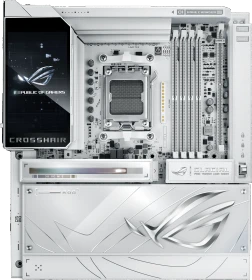
The Asus ROG Crosshair X870E Glacial is a true flagship, packing seven M.2 slots, dual 10GbE, Wi-Fi 7, USB4, and a striking 5-inch LCD. It's expensive, but unmatched in features, performance, and premium design for AM5 builders.
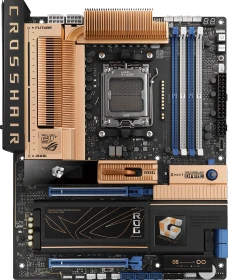
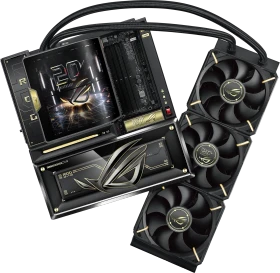
Asus' retro-themed ROG Crosshair 2006 hits you in the feels the moment you see it, but the nostalgia isn’t for nostalgia’s sake — there’s some serious modern hardware underneath. If the limited-run retro aesthetic speaks to you, it’s worth the premium. Otherwise, buy the Dark Hero and pocket the difference.
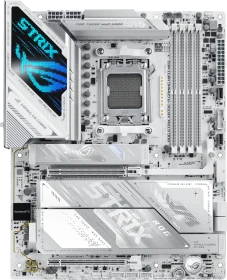
Strong performance, very good cooling, and a strong feature set make this Strix a compelling option for a light-themed, future-looking build.
Nach dem ASUS ROG Strix B850-F Gaming WiFi7 Neo (Test) als B850-Refresh-Mainboard kommen wir nun zum ROG Strix X870E-A Gaming WiFi7 Neo, das der abgespeckte Bruder vom bereits getesteten ROG Strix X870E-E Gaming WiFi7 Neo (Test) in weißer Montur ist. Abstriche müssen nur wenige in Kauf genommen werden, auch wenn diese für den einen oder anderen wichtig werden könnten. Wir haben das ROG Strix X870E-A Gaming WiFi7 Neo getestet und es mit anderen anderen, neueren AM5-Mainboards verglichen.
ASUS refreshed its AM5 motherboard series a few months ago with the new NEO models. Today we share with you our experience with the STRIX X870E-A GAMING WIFI7 NEO, the white-themed, feature-rich motherboard designed for demanding gamers. ASUS promises great performance, aesthetic improvements, and optimal connectivity in the new line of motherboards, including the tested ‘A’ model. As with all high-end motherboards, we also see AI improvements throughout the design. The BIOS was also redesigned, so there are more new things than we expected.
The ASUS ROG Strix X870E-H Gaming Wi-Fi is a welcome addition to the ROG Strix 800-series chipset range, adding in some new features. Despite our early concerns, it manages to bring X870E to the table without the significant compromises we've seen on plenty of other boards. That in part is due to its price tag. At $400, it's significantly more than other lower-priced X870E options such as the MSI MAG X870E Tomahawk Wi-Fi, currently at $330, as well as the ASRock X870E Taichi Lite, which at $300 is admittedly a steal, considering it has nearly everything you see here with the ASUS board except a top-rated EFI and two PCIe Gen 5 M.2 ports, but using the second of those steals bandwidth from your GPU on the ROG Strix X870E-H Gaming Wi-Fi anyway, so there's a tradeoff there.
As one of the most desirable X870E motherboards out there, the ASUS ROG Crosshair X870E Hero has nearly everything you could want from a motherboard. Perhaps the most glaring omission is the lack of BTF or rear connector support, which has graced numerous mid-range and high-end boards this year. However, ASUS has seen fit to give one of its most expensive boards the BFT makeover, so we're looking at the ROG Crosshair X870E Hero BTF today. Of course the biggest change is that the mass of connectors on this monstrous motherboard are now nearly all located on the rear of the PCB. This gives a much cleaner look, although you'll obviously need a BTF/rear connector case too. This means that ASUS now has one of the most high-end BTF options.
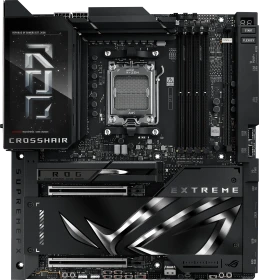
Asus’ Crosshair X870E Extreme offers solid value in the flagship AMD motherboard space. You get the best of the best hardware, along with a solid suite of software. While it’s certainly expensive at around $999, it’s our pick for the best currently available flagship-class boards.
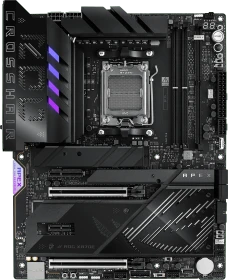
If you're a hardcore overclocker, then the ASUS ROG Crosshair X870E Apex is surely already on your shortlist.
Thermal performance is also very reassuring, with VRM and chipset temperatures staying well within safe ranges even under stress testing. Combined with a robust power design and optimized memory overclocking design, you can confidently push both CPU and memory without concern.
If the halo tier ASUS ROG Crosshair X870E Extreme was going to leave your wallet feeling a little too anemic, but you're still in the market for an overclocking-focused Socket AM5 motherboard and have a significant budget, then ASUS does have a slightly less lavish alternative. The ROG Crosshair X870E Apex is the latest incarnation of this thoroughbred overclocking motherboard that stretches back a few generations on Intel platforms, but this is the first time it's ventured into AMD territory. Think of it as a trimmed down ASUS ROG Crosshair X870E Extreme with a focus purely on performance, or a slightly less mainstream ASUS ROG Crosshair X870E Hero, with less of an emphasis on being a daily driver. That said, the ROG Crosshair X870E Apex is still a perfectly capable everyday board, but is more than happy to switch to extreme cooling to bring the best out of your CPU and memory, offering all the tools you need to do so.
Alle Angaben ohne Gewähr. Die gelisteten Angebote sind keine verbindlichen Werbeaussagen der Anbieter.
* Preise in Euro inkl. MwSt. zzgl. Versandkosten. Bei der Auswahl von "inkl. Versand" beinhaltet der dargestellte Preis die Kosten für den Versand. Die nicht angeführten Kosten in andere Länder entnimm bitte der Website des Händlers. Bei Sortierung nach einer anderen als der Landeswährung des Händlers basiert die Währungsumrechnung auf einem von uns ermittelten Tageskurs, der womöglich nicht mit dem im Shop angegebenen Preis exakt übereinstimmt. Bitte bedenke außerdem, dass die angeführten Preise periodisch erzeugte Momentaufnahmen darstellen und technisch bedingt teilweise veraltet sein können. Insbesondere sind Preiserhöhungen zwischen dem Zeitpunkt der Preisübernahme durch uns und dem späteren Besuch dieser Website möglich. Händler haben keine Möglichkeit die Darstellung der Preise direkt zu beeinflussen und sofortige Änderungen auf unserer Seite zu veranlassen. Der maßgebliche Preis für den Verkauf durch den Händler ist der tatsächliche Preis des Produkts, der zum Zeitpunkt des Kaufs auf der Website des Händlers steht.